No App Switching. Native AI Keyboard with Your Memory.
Generate, polish, rewrite text, save quick-tap templates, and schedule follow-ups — directly inside WhatsApp, Slack, Mail, Instagram, and any iOS app.

What our early users are saying
“Replying to client emails and DMs takes half the time now. The AI tone matching right on the keyboard is unmatched.”

Kevin Z.
Founder & CEO
“Pinned messages on my keyboard shelf save me 30+ minutes every single day during outreach. Pure magic.”

Chloe C.
Product Designer
“Drafting social posts in seconds directly inside X and LinkedIn without switching back and forth to ChatGPT.”

James L.
Content Creator
“Replying to client emails and DMs takes half the time now. The AI tone matching right on the keyboard is unmatched.”
Kevin Z.
Founder & CEO
“Pinned messages on my keyboard shelf save me 30+ minutes every single day during outreach. Pure magic.”
Chloe C.
Product Designer
“Drafting social posts in seconds directly inside X and LinkedIn without switching back and forth to ChatGPT.”
James L.
Content Creator
“Replying to client emails and DMs takes half the time now. The AI tone matching right on the keyboard is unmatched.”
Kevin Z.
Founder & CEO
“Pinned messages on my keyboard shelf save me 30+ minutes every single day during outreach. Pure magic.”
Chloe C.
Product Designer
“Drafting social posts in seconds directly inside X and LinkedIn without switching back and forth to ChatGPT.”
James L.
Content Creator
“Follow-up reminders scheduled right from my keyboard ensure no important client conversation slips away.”

Sarah T.
Startup Founder
“Having instant AI summaries, quick rewrites, and saved snippets in Slack and WhatsApp is indispensable.”

Mei-Ling W.
Software Engineer
“My daily typing productivity went through the roof. It's the only custom keyboard extension I actually rely on.”

David M.
Growth Lead
“Follow-up reminders scheduled right from my keyboard ensure no important client conversation slips away.”
Sarah T.
Startup Founder
“Having instant AI summaries, quick rewrites, and saved snippets in Slack and WhatsApp is indispensable.”
Mei-Ling W.
Software Engineer
“My daily typing productivity went through the roof. It's the only custom keyboard extension I actually rely on.”
David M.
Growth Lead
“Follow-up reminders scheduled right from my keyboard ensure no important client conversation slips away.”
Sarah T.
Startup Founder
“Having instant AI summaries, quick rewrites, and saved snippets in Slack and WhatsApp is indispensable.”
Mei-Ling W.
Software Engineer
“My daily typing productivity went through the roof. It's the only custom keyboard extension I actually rely on.”
David M.
Growth Lead
Native AI keyboard that works seamlessly in every app you love
 WhatsApp
 Slack
Slack Mail
Mail Instagram
 LinkedIn
 X
X Threads
 Line
LineBuilt for how you naturally communicate.
Everything designed around speed, joy, and zero friction.
Rewrite & polish on the fly
Turn rough bullets into polished emails, adjust tone, fix grammar, or translate instantly without leaving your current conversation.
Write right where you are
No more copying back and forth between ChatGPT, Notes, and your chat apps. Your intelligent assistant lives inside your iOS keyboard.
Reuse saved templates in 1 tap
Pin frequent replies, outreach scripts, addresses, and hashtags to the keyboard shelf for instant pasting anywhere you type.
Thought nudges & reminders
Set thought reminders and follow-up alerts right as you type so important follow-ups never get forgotten.
Learns your personal voice
Lightbulb learns your tone and automatically adapts formatting rules for WhatsApp, LinkedIn, Instagram, and Gmail.
Find any thought in seconds
Search your entire library of saved drafts, snippets, and notes with smart tags directly from the keyboard shelf.
From thought to message in seconds.
Polish emails, summon saved snippets, schedule thoughts, and rewrite text right from your keyboard.
Free to download on iOS 17+
Everything your keyboard was missing.
Engineered as a lightweight, private iOS extension so you get full AI superpowers without leaving your current conversation.
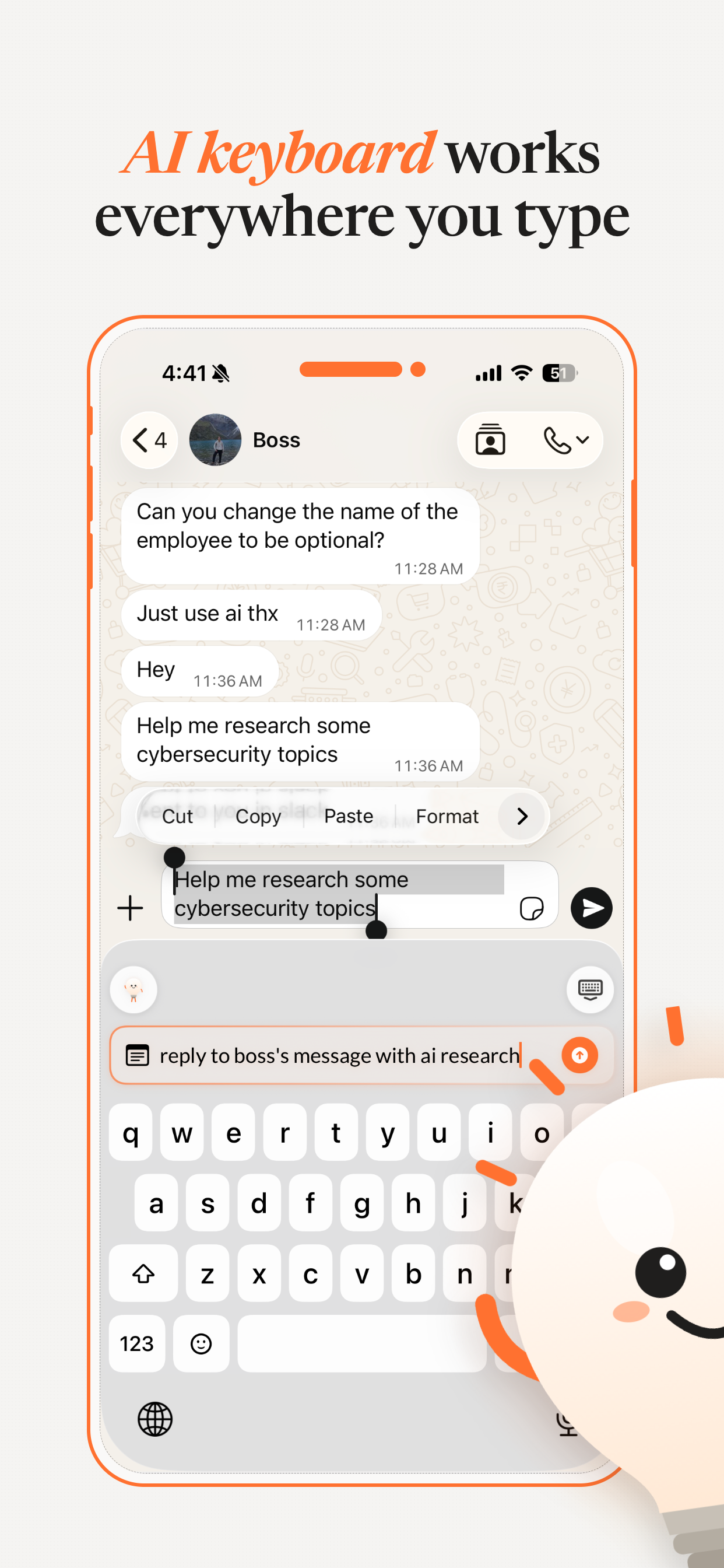
AI keyboard works everywhere you type.
Whether replying on WhatsApp, drafting client proposals in Mail, or commenting on LinkedIn — Lightbulb operates directly within any text field on your iPhone.
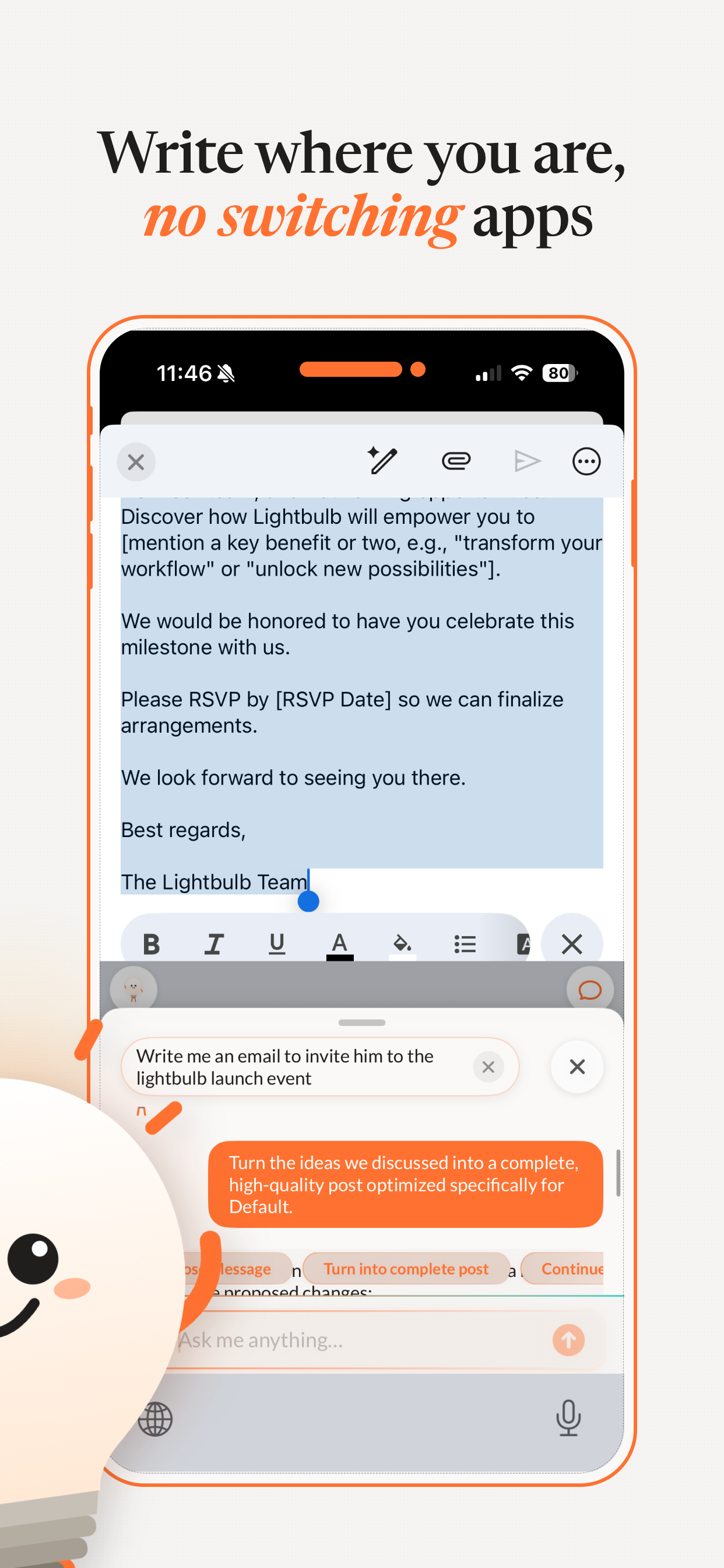
Write where you are. No switching apps.
Stop jumping between ChatGPT, note apps, and messaging windows. Lightbulb generates, transforms, and completes your sentences right inside the app you are already using.
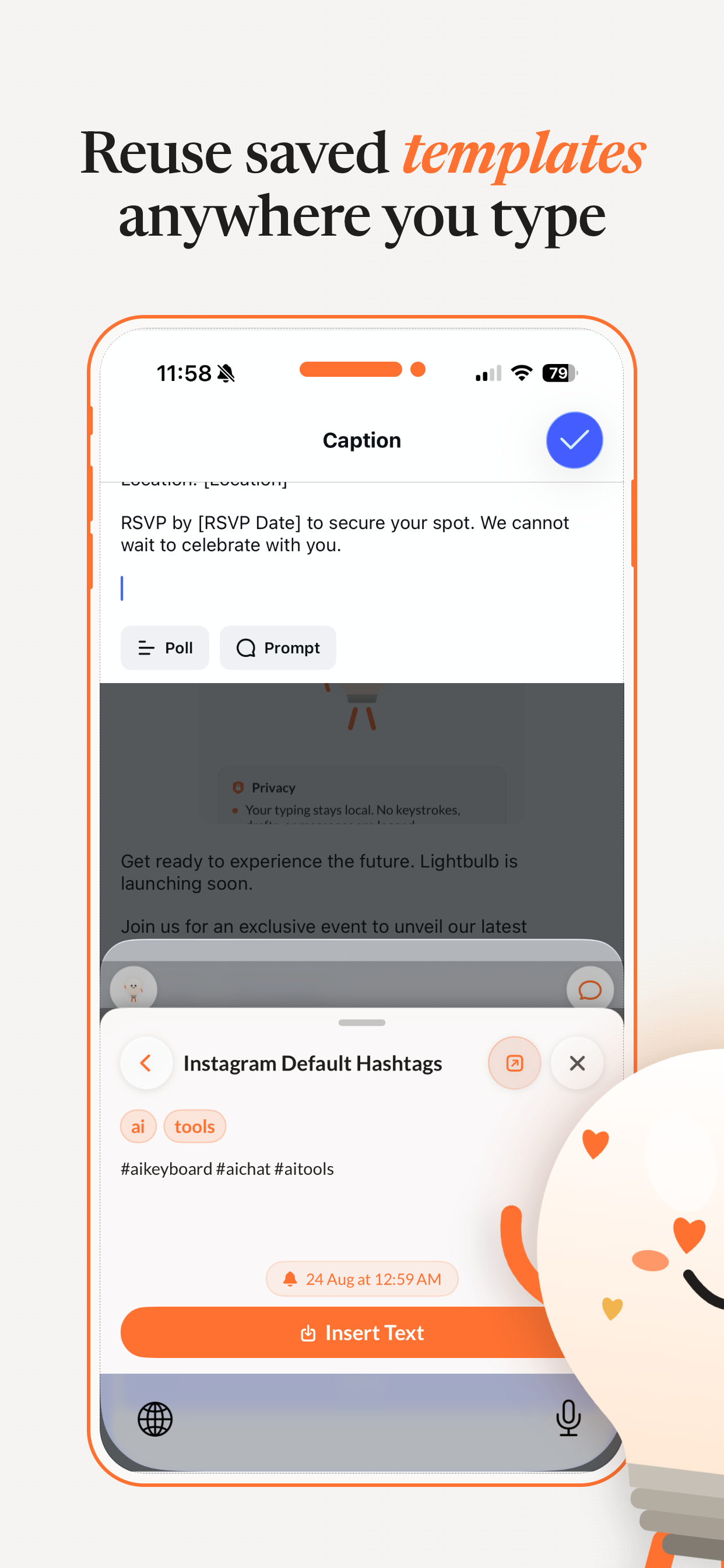
Reuse saved templates in a single tap.
Save your most common responses, outreach messages, and links. Access them directly from your keyboard top shelf and insert them with one tap.
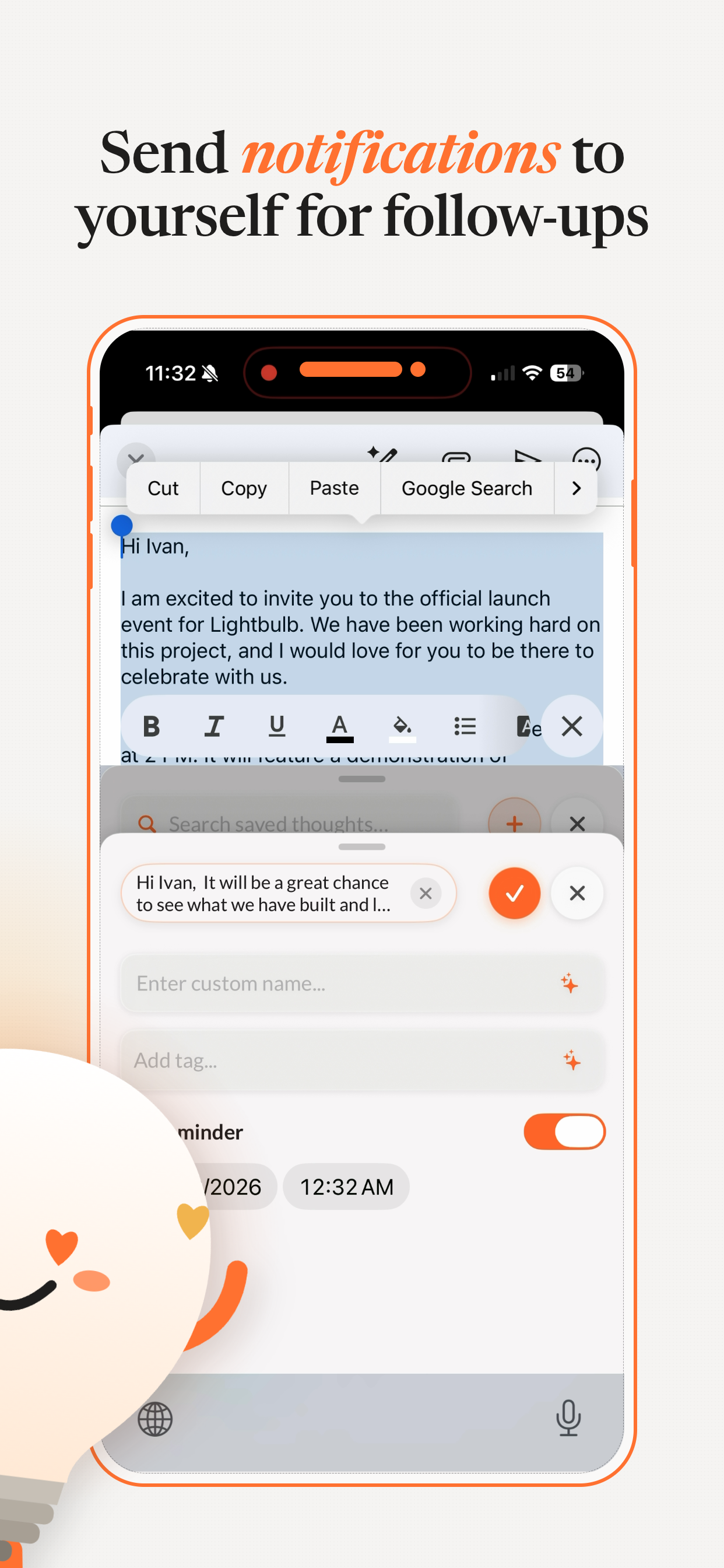
Send notifications to yourself for follow-ups.
Capture quick thoughts or set scheduled reminders right as you type. Lightbulb sends timely nudges so you never drop the ball on an important thread.
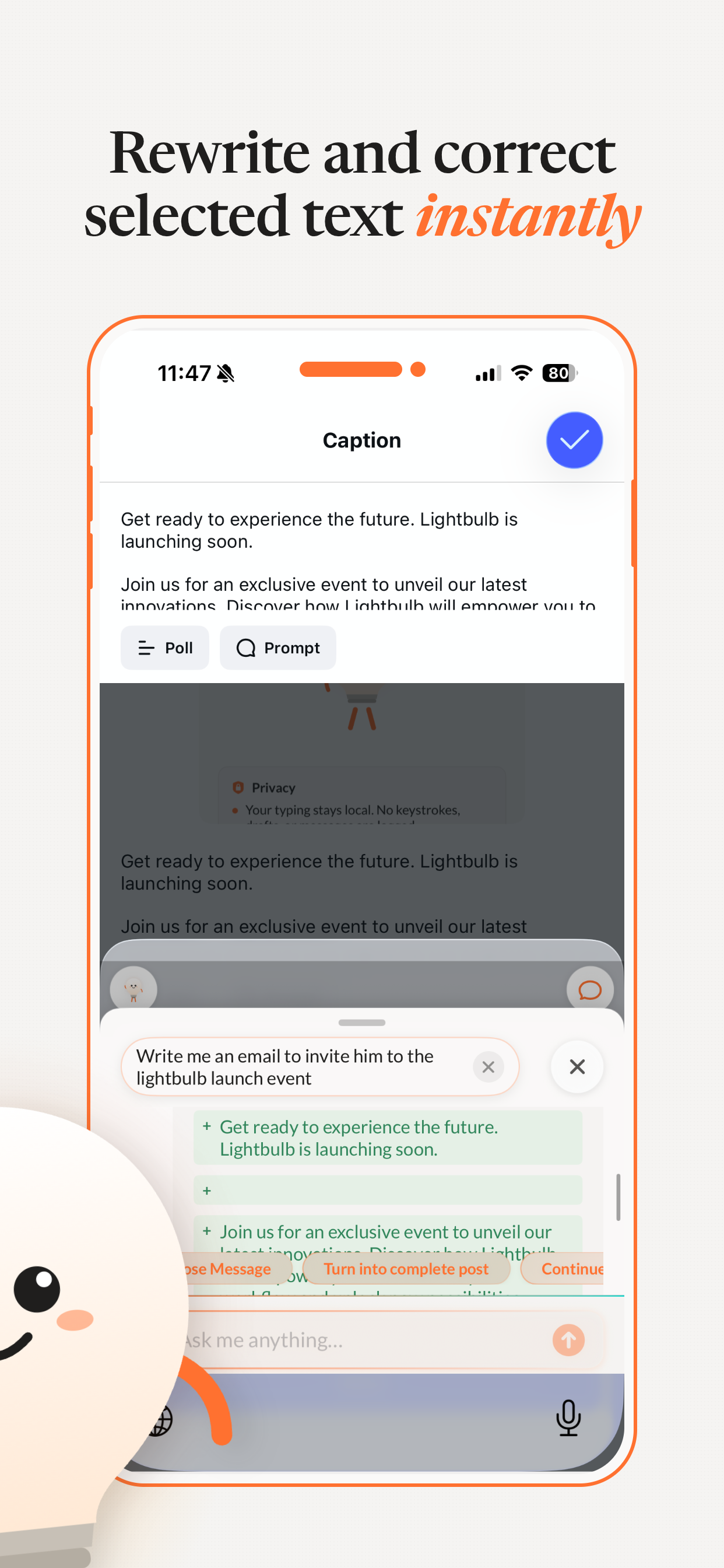
Rewrite and correct selected text instantly.
Highlight text in any app to instantly change its tone (Professional, Friendly, Casual, Direct) or fix grammar and clarity in one tap.
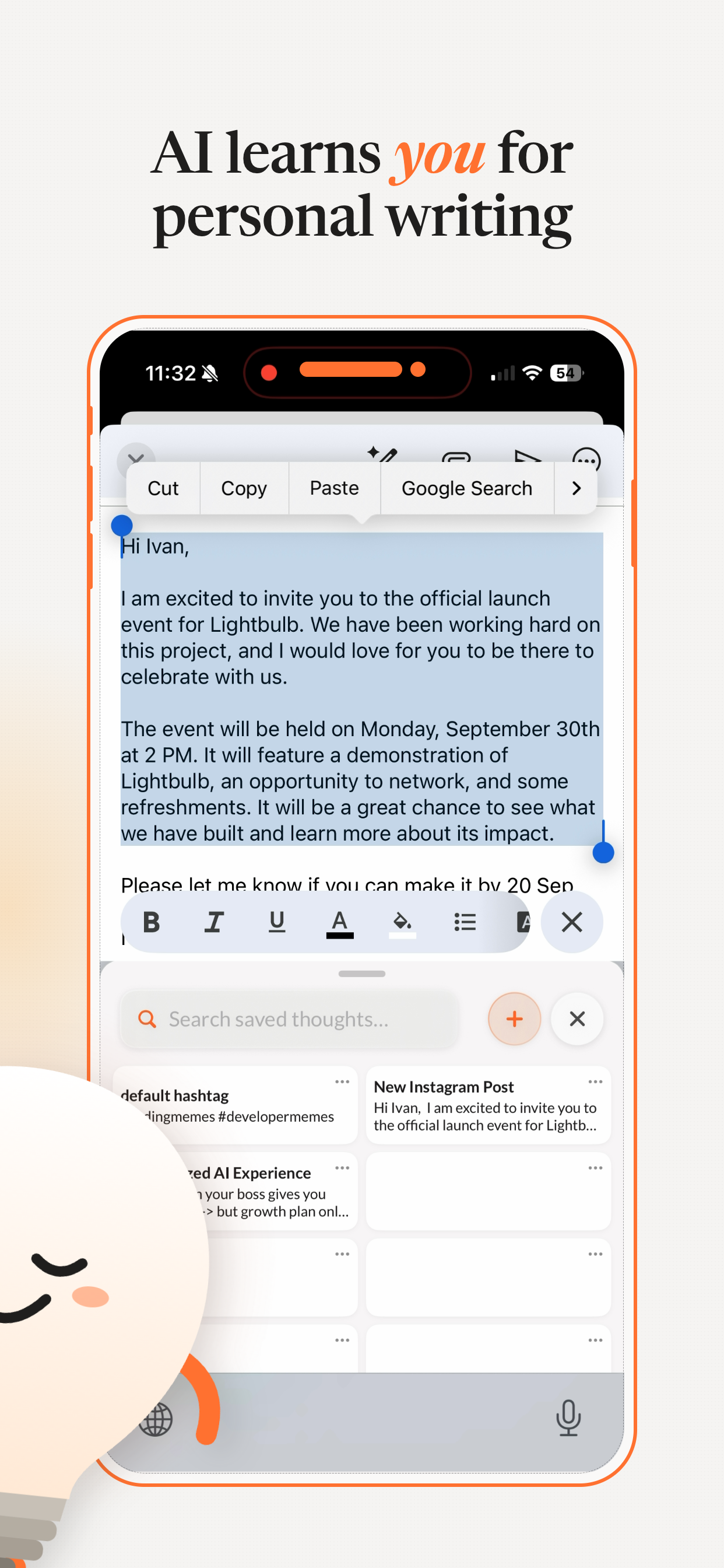
AI learns you for truly personal writing.
Lightbulb remembers your preferences, preferred phrasing, and app-specific guidelines so generated messages sound authentically like you.
 Simple & Transparent
Get Pro for 50% less
Unlock the full productivity keyboard at today’s discounted price.
Lightbulb Free
Essential in-keyboard typing and AI assists to boost your daily workflow.
- Native iOS AI Keyboard Extension
- Basic AI Rewrites & Tone Shifts
- Quick-Tap Shelf (up to 3 pinned items)
- Works seamlessly across all iOS apps
- 7-day free trial of Pro features included
Annual Lightbulb Pro
The complete AI writing companion that lives right in your keyboard everywhere.
- Unlimited In-Keyboard AI (Zero app switching)
- All AI Tone Modes (Casual, Professional, Witty, Concise & Custom)
- Unlimited Saved Shelf Pins & Templates
- AI Chat Assistant inside WhatsApp, Slack, Mail & any app
- Smart Keyboard Reminders & Follow-up Scheduling
- iCloud Sync across iPhone & iPad
- Private & Secure On-Device Architecture
- Priority Feature Updates & Support
Cancel anytime in Apple Subscriptions · 7-day free trial included
Questions & Answers
Everything you need to know about setting up Lightbulb.
How does the Lightbulb AI keyboard work?
Lightbulb is a native iOS Keyboard Extension. Once enabled in your iPhone Settings (Settings > Keyboards > Lightbulb), you can switch to Lightbulb in any app (WhatsApp, Slack, Mail, Messages, Instagram, etc.) to compose, rewrite, access saved templates, and schedule follow-ups.
Does Lightbulb log my keystrokes or read private messages?
No. Privacy is foundational to Lightbulb. Your normal typing remains local on your device. Lightbulb only processes text when you explicitly tap an AI action button (like Rewrite, Enhance, or Prompt). We never log your keystrokes or sell your data.
Why does Lightbulb ask for "Allow Full Access"?
iOS requires "Full Access" for custom keyboards that communicate with AI models over the network and synchronize your saved templates with the main app. We never use full access to track your personal keystrokes.
Can I use Lightbulb across different apps?
Yes! Lightbulb works in any iOS app with a text field, including WhatsApp, Slack, Apple Mail, Gmail, iMessage, Instagram, LinkedIn, X, Threads, Line, and Apple Notes.
What is included with Lightbulb Pro?
Lightbulb Pro includes unlimited AI writing and smart rewrites, unlimited saved templates on your keyboard shelf, personalized AI tone memory, app-specific custom instructions, and priority AI model access.
Ready to type smarter with AI?
Download Lightbulb on the App Store today. Zero app switching, instant rewrites, and 1-tap saved templates.
Free download · Supports iOS 17 and above Support & Inquiries
Get in touch with our team.
Have a question, feedback, or need help? We read and reply to every message.
Contact & Developer Details
Official developer and support information for Lightbulb on the Apple App Store.
iOS 17+ · iPhone & iPad compatibleSend a Message
Fill out the form below to reach our engineering and product support team directly.